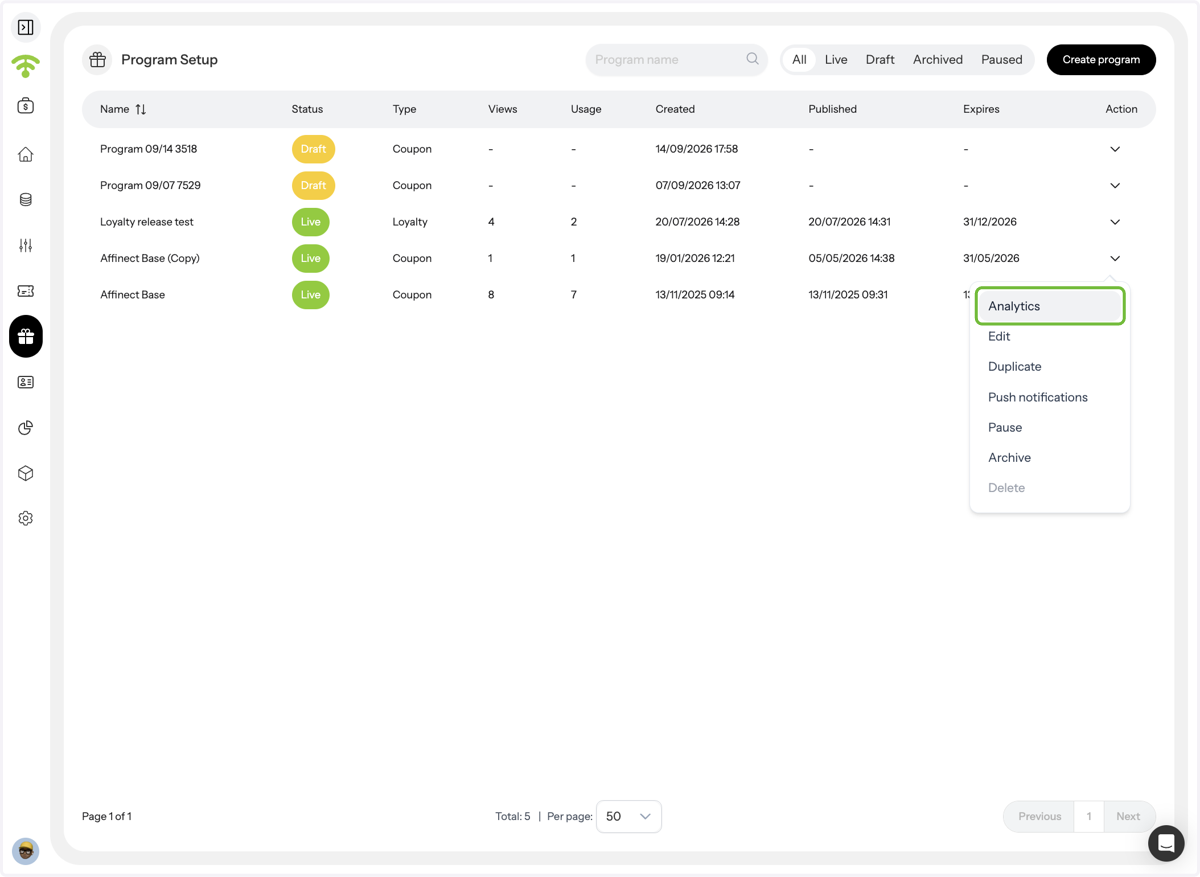
Easily track how your coupon campaigns perform by reviewing views, redemptions, visitor behavior, and conversion trends, so you can measure real impact and optimize future campaigns with confidence.
Affinect
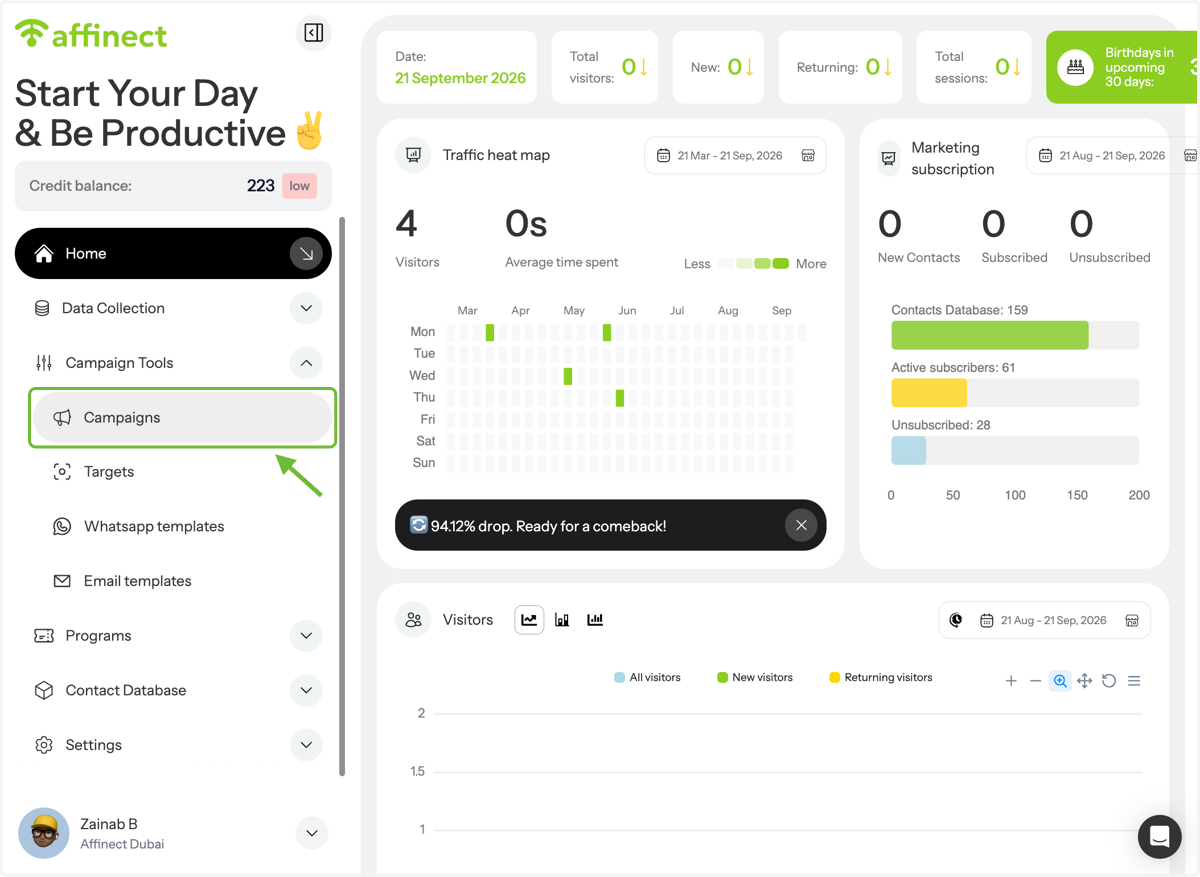
Navigate to Campaigns
In Campaign tools on the left side of the dashboard, click Campaigns.
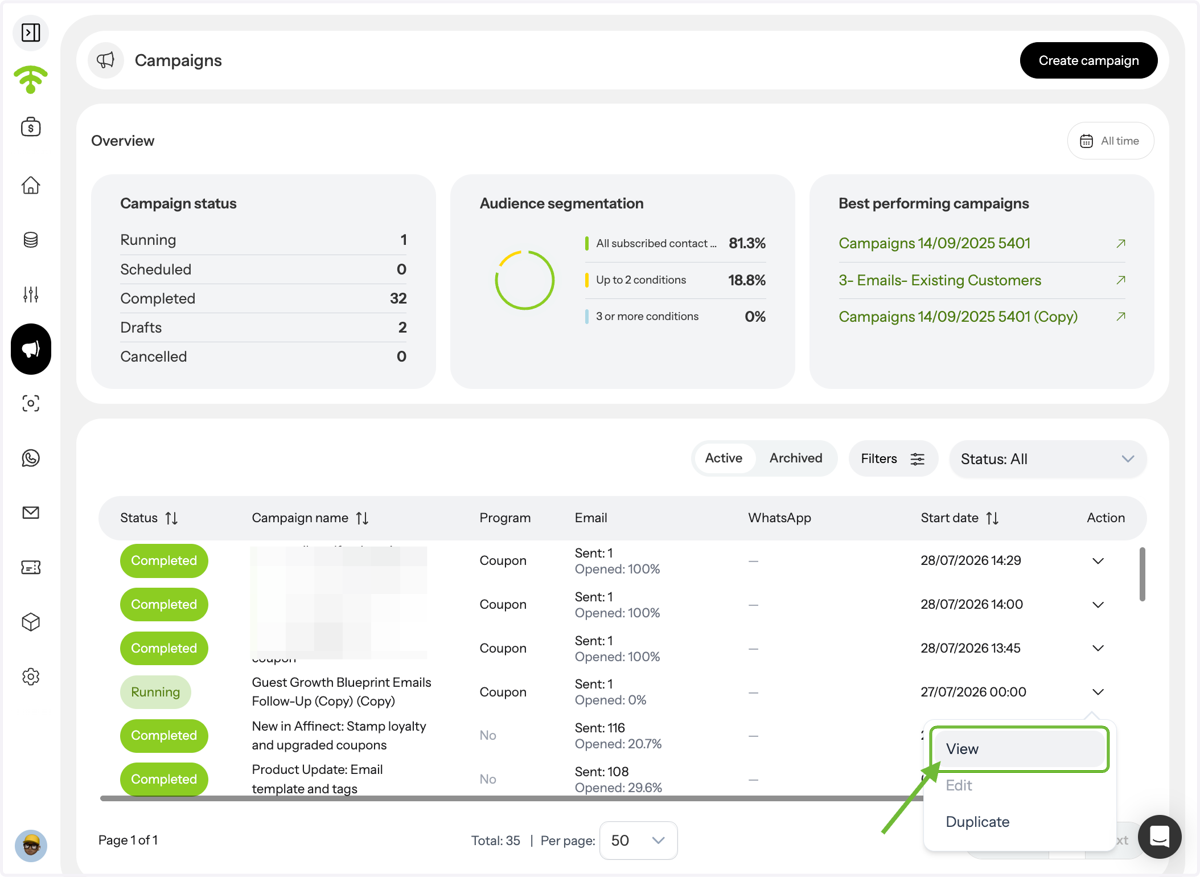
View Campaigns
A preview of all your campaigns will appear. Select View from the dropdown next to the campaign whose analytics you’d like to review.
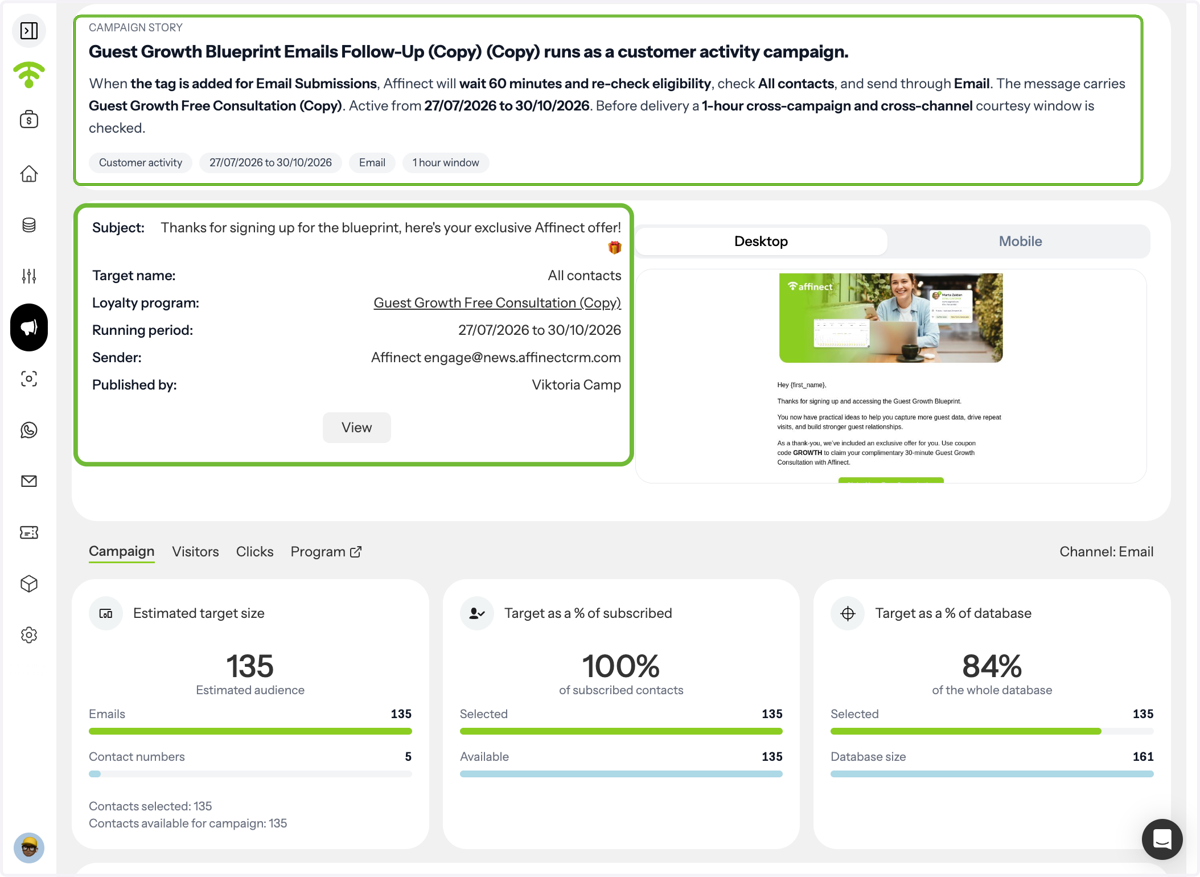
Review Campaign Details
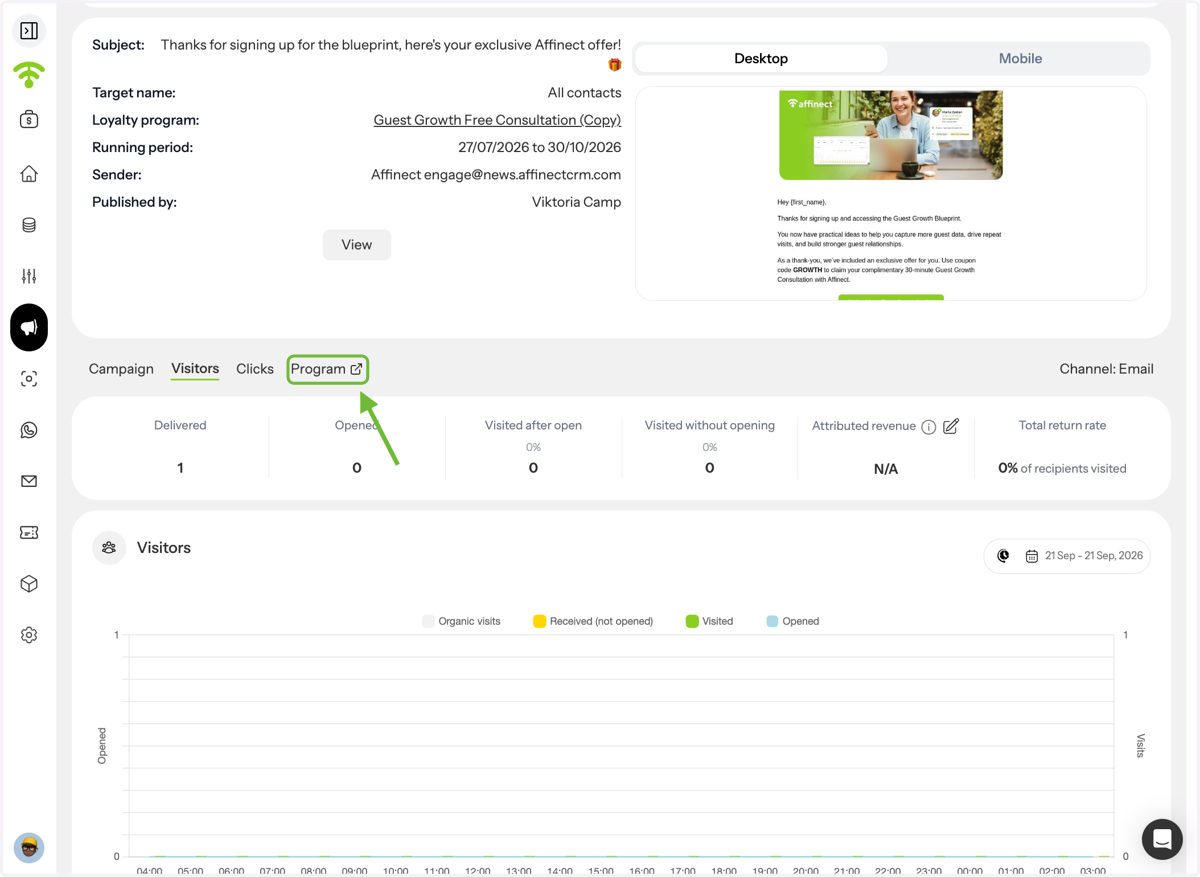
See full campaign information, including campaign story, desktop and mobile preview, subject line, target audience, coupon name, campaign duration, sender, and publisher. You can also view estimated target size, target as a % of subscribed, and as a % of databse.
Review Campaign Statistics
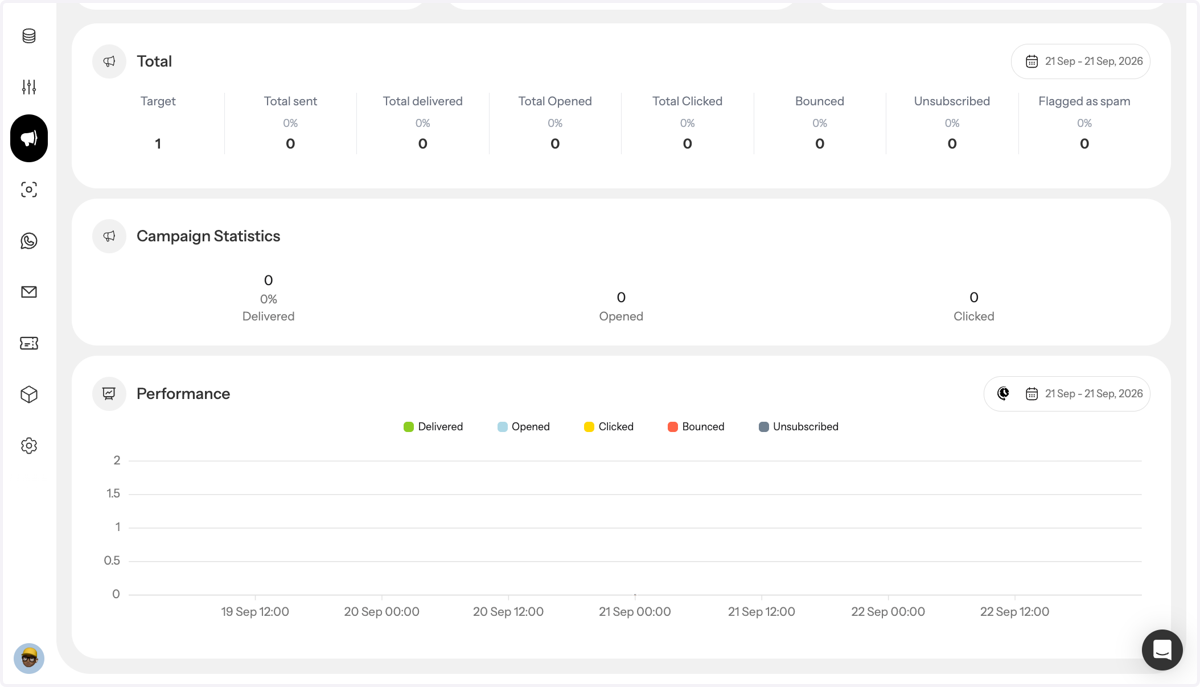
You can view key campaign statistics, including the number of messages sent, delivered, opened, clicked, bounced, unsubscribed, or marked as spam.
View Coupon Analytics
So far, you’ve reviewed the campaign statistics. To view coupon analytics, click Programs.
Coupon Overview
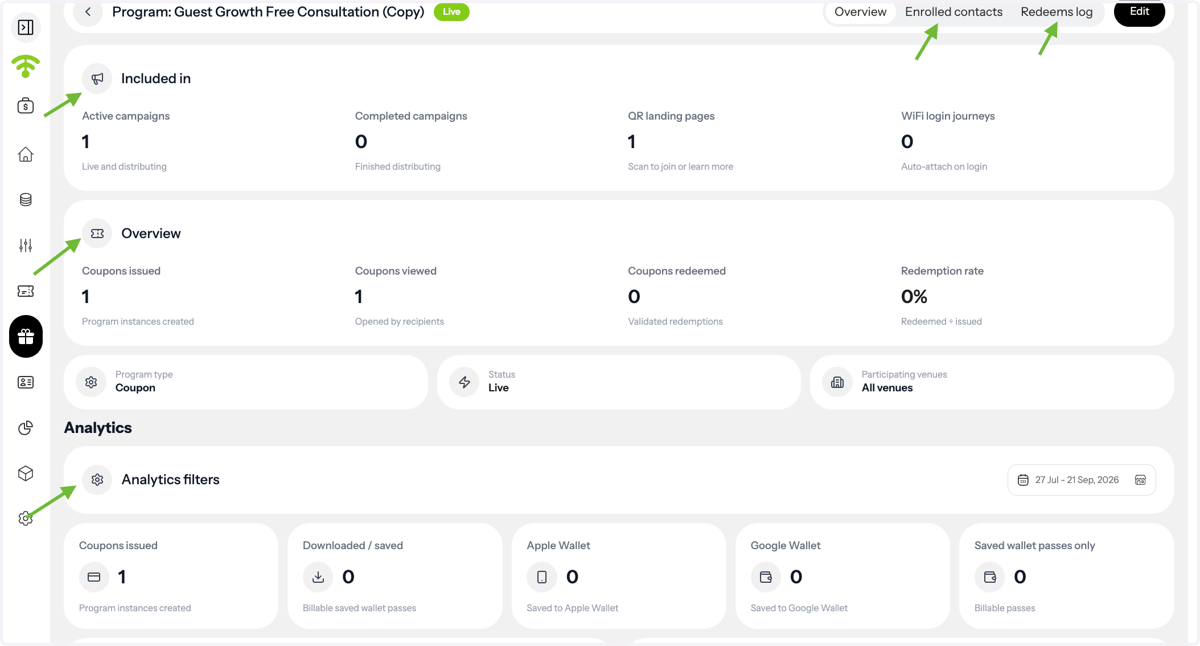
You can have a look at overview, and can also see enrolled contacts and redeems log
View Coupon Analytics
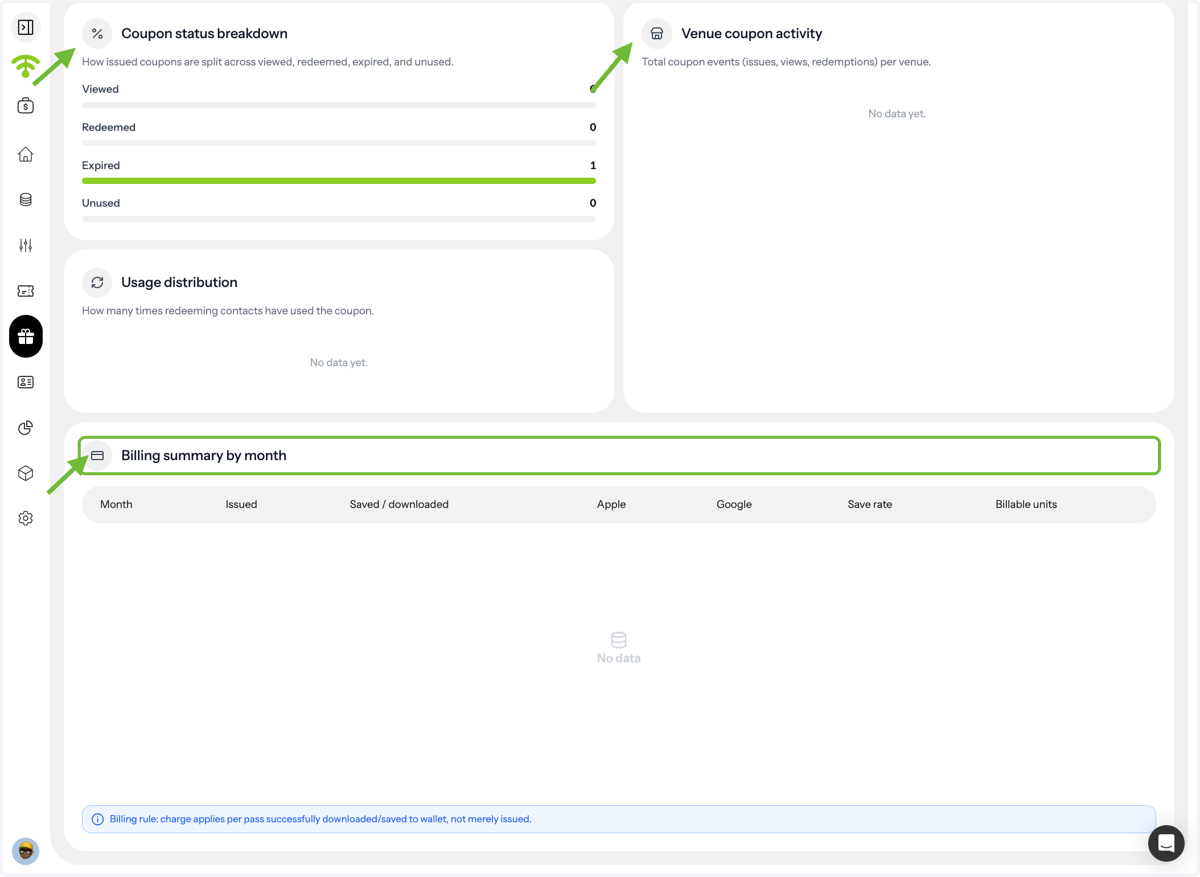
You can further explore coupon analytics, venue actibitu and billing summary
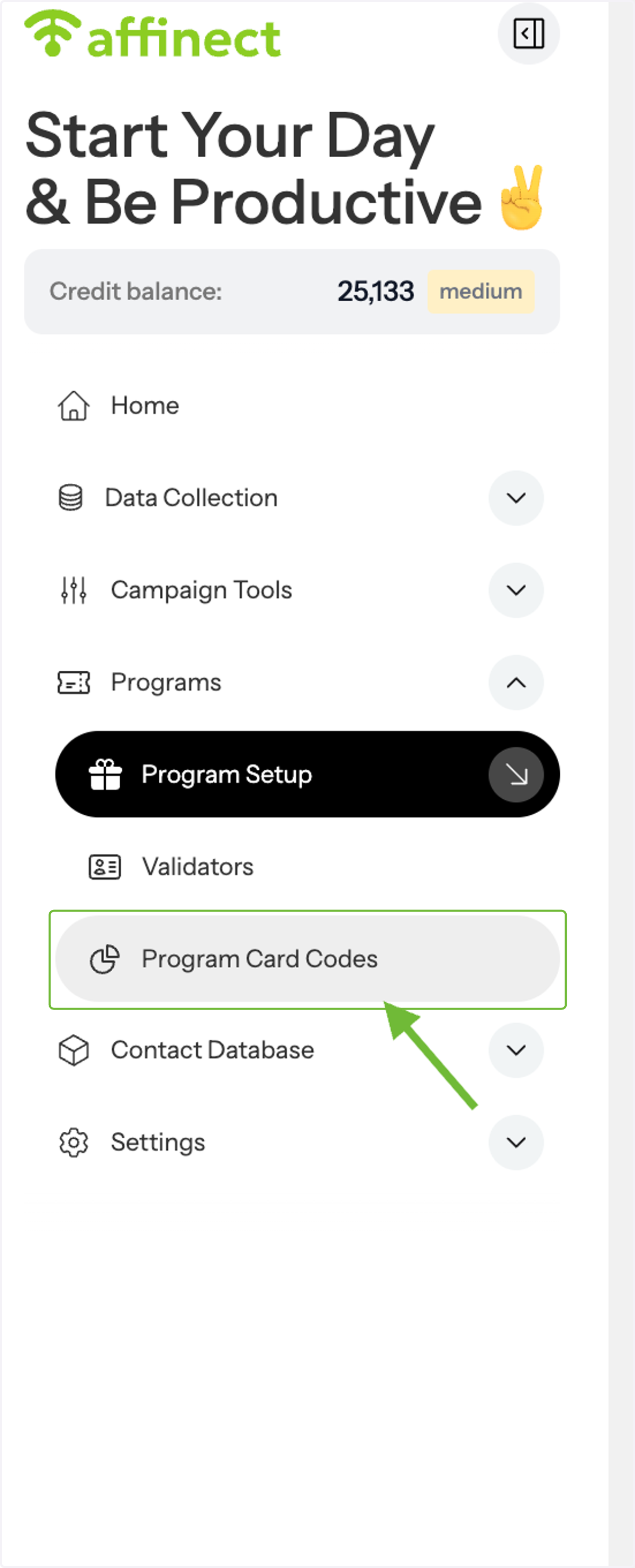
Campaign Analytics from Program Card Codes
Alternatively, you can also go to program card codes and see campaign details there.
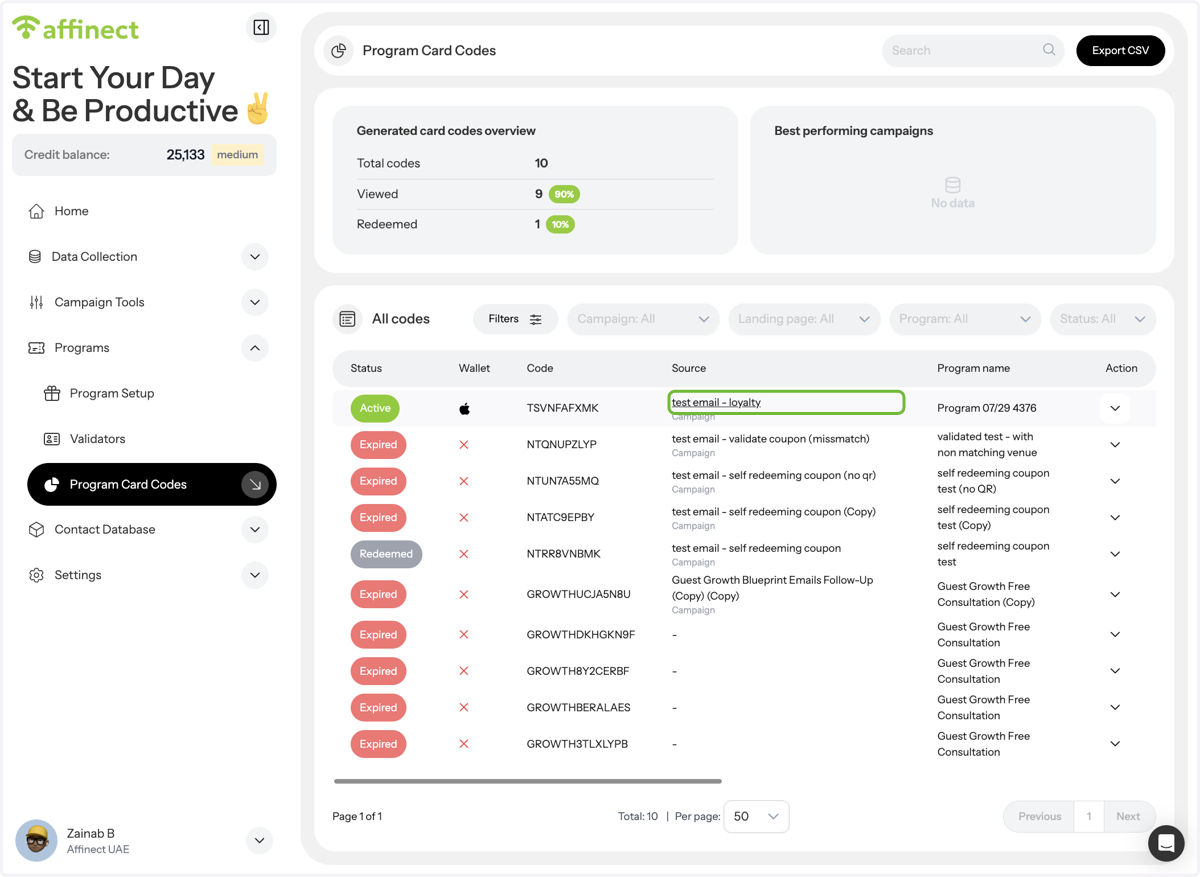
Preview Program Card Codes
A preview of all programs will appear, and you can see the coupon status including whether it was saved to the wallet or not. Click on the source; the campaign name to view analytics.
Coupon Analytics from Program Setup
Alternatively, you can also go to the program setup and view analytics from the drop-down action menu.